
Unlike many of the other providers, Vitality no longer provide their Key Features documents via a PDF. They provide an internet shortcut that will take you to the relevant document which you can then download and save as a PDF for your compliance folder as needed.
The reason they have made this change is it means Vitality can update any information, with ease in a centralized place, without needing to update multiple PDF documents, meaning you are always getting the most up to date and relevant information.
When you try and view the documents in SolutionBuilder you will see the message below pop up:
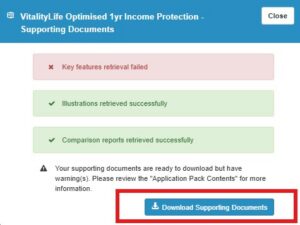
Please click to download the supporting documents and view them in the Zip file that will be shown in your Recent Download History:
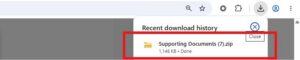
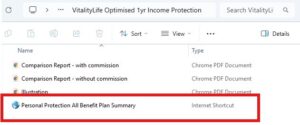
Please open up the relevant policy file and you will find the relevant internet shortcuts to open and save.

Double click the internet shortcut at the bottom of the files to open the plan summary.
If you work within a CRM system that requires you to flag and save the quotes to be able to apply, with Vitality at this time you will be required to download the files following the above steps to add them to your client file manually at this time.
If you have followed these steps and you aren’t able to see the internet shortcut for the Vitality Plan Summary then please contact our customer support team via uk.support@ipipeline.com, via chat or on 0345 408 4022 and we will be happy to help.