
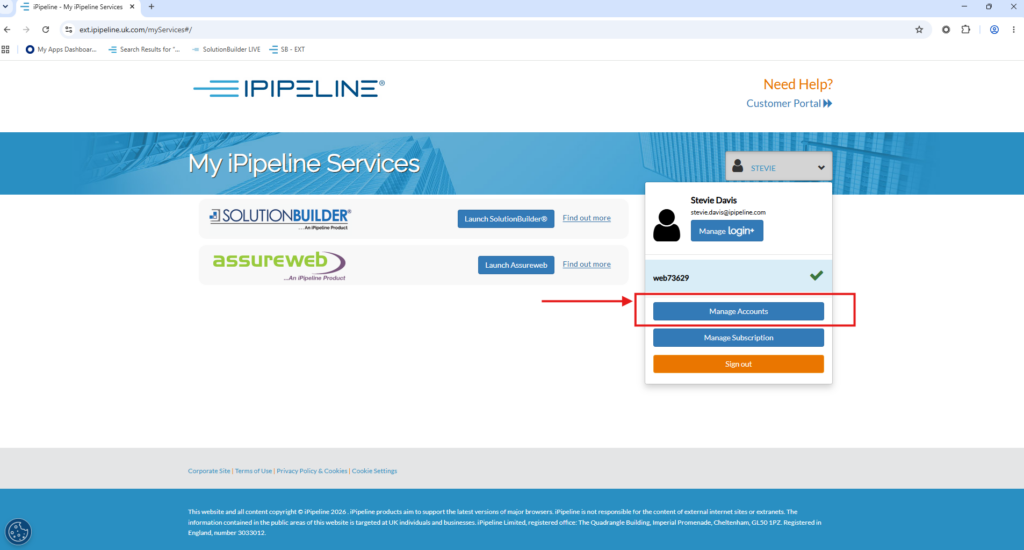
To link another account to your login+ email without being sent an invite request from the owner, you will need to be on the Manage Accounts page in your iPipleline services.
To get to this page, click ‘Manage Accounts’ on the dropdown at the top right of the My iPipeline Services page.
Once you are on the Manage Your Accounts page and have double checked that you have not received an invite from the account in question – click ‘Access another account’ at the bottom of the page to link with a new account.
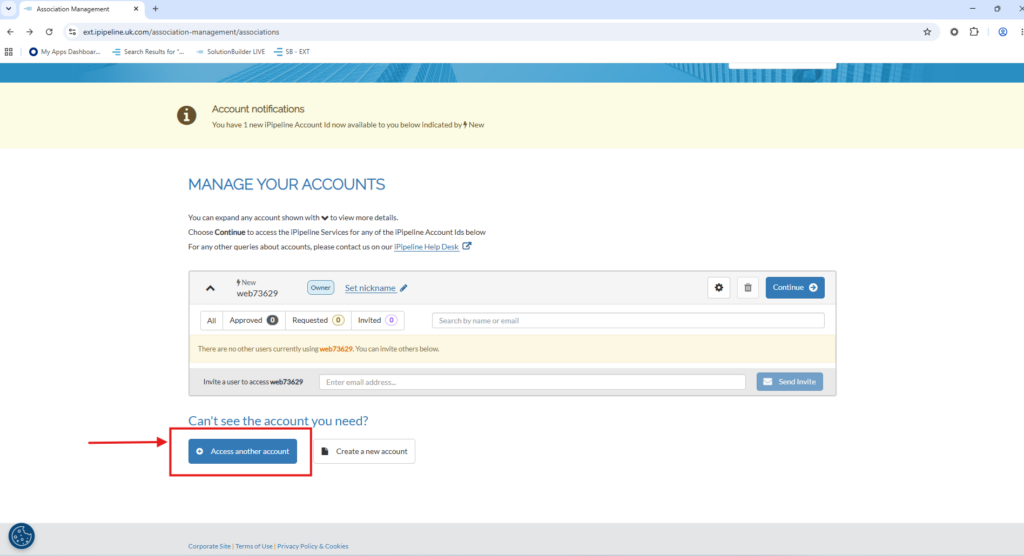
You will need to enter the iPipleine Account Id in the box and once you press continue, a request will be sent via email to the owner where they will be able to accept or reject your request.
