
If someone requests access to your iPipeline Account ID, you’ll receive an email asking you to review the request.
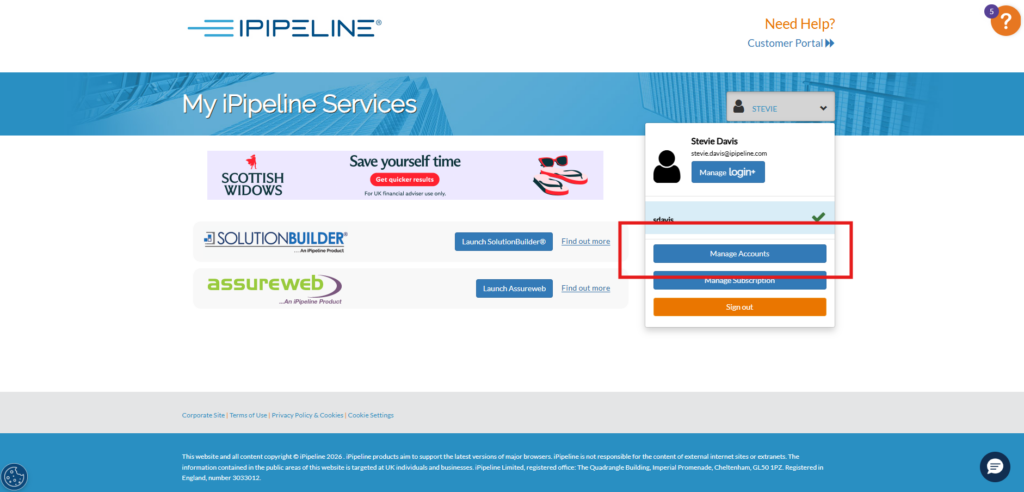
To review this request, please sign in to your account via the iPipeline Portal, click log in and head to the ‘manage your accounts’ section of the account.
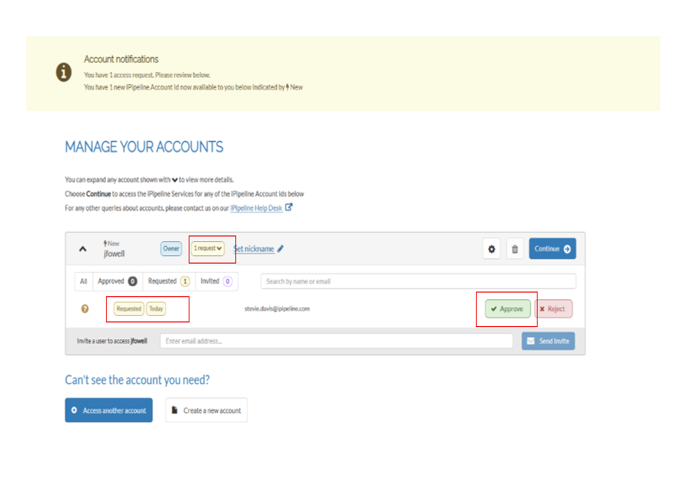
Locate the request in your ‘manage your accounts’ page – select Approve or Reject and confirm your decision.
Once you have confirmed your decision, an email will be sent to the person requesting access to advise them of the outcome.